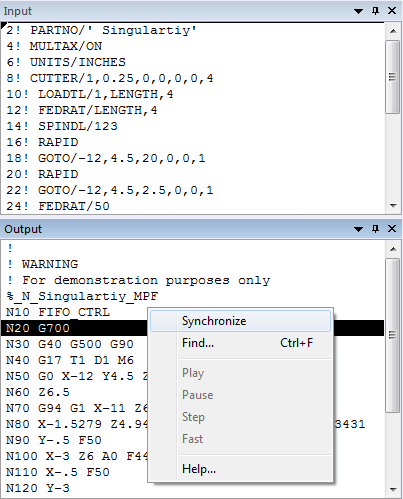
Synchronize
This function is available from the context popup menu when you press the right mouse button one of the following:
On a line of output in the Input, Output, Console and Macro trace windows
On a diagnostic message in the Diagnostics window
On a tool-path trace or in-process stock cut in the Simulation window
At a time within the Timeline window
When “Synchronize” is selected, the item you chose will be highlighted, and the corresponding trace, diagnostic, tool-path, surface and Timeline location in all the other windows will also be synchronized. In the Simulation window, the synchronized item will be blinking.