Replace Macro
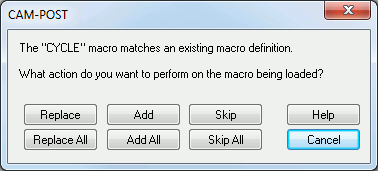
This dialog appears when loading macros from an external file and a macro is about to be loaded that matches a macro in the current post processor. You can take one of several actions:
Replace: Replace the existing macro with the macro being loaded.
Add: Add the incoming macro to the end of the list of already existing macros.
Skip: Do not load the macro from the file.
Replace All, Add All and Skip All options perform the selected action for all all remaining macros where there is a conflict.
Cancel: Discontinue loading macros. Any macros loaded to this point will be retained.