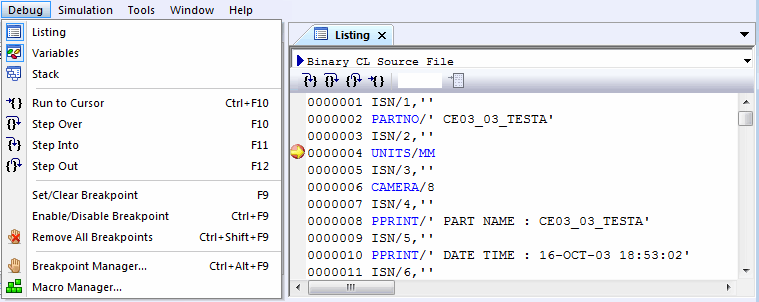
Debug»
This command toggles the opening or closing of the Source window on the screen.
See the Source Window for more information.
The Source window is somewhat similar to the macro trace window, except that the entire macro source is shown, with a marker identifying the line about to be processed. Any macro can be examined in the window, regardless if active or not. The source window also shows the CL file source, both in its original APT format (if applicable) as well as its transformed binary format. Breakpoints can be seen, set and cleared by clicking in the gray area beside the line. Once a variable has been set, it can be examined by placing the cursor over the variable. A tool-tip will appear showing its value. Four buttons in the Source window single-step through the macro or CL file in various ways.
The “GOTO Line” prompt allows to type in a line number and jump there directly.