Stack
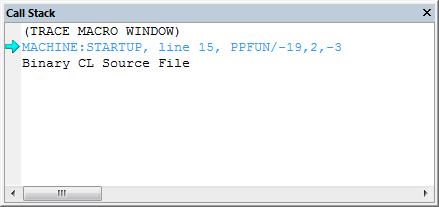
This window displays the call stack of the post processor. At the base of the call stack you always have the CL file. When a macro gets invoked from the CL file then the call stack will show that macro listed above the current CL file location. Each macro called from another will add one more line to the call stack. When a macro is completed and the process goes back to the caller, the macro that is exiting will be removed from the call stack. The stack window gets refreshed each time post processing is put on hold (paused).
When paused, you can use the stack window to examine where the process was paused. The current context is, by default, the top of the call stack. The context is what decides which variables are considered local variables (See the Variables Watch Window). You can set the context to any level of the call stack by clicking in the margin next to the stack level you want to examine (or by double clicking on the line). The blue arrow in the margin tells you where the current stack context is.
When post processing is resumed, GENER first sets the call stack context back to the top of the stack.