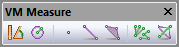
VM Measure Toolbar

The buttons on the VM Measure toolbar are only available while in
measurement mode, as set using the
button on the VM Mode
toolbar or Simulation»Mode»Measurement menu bar. The 3 middle buttons
are filters that enable or disable picking of the various components of
the triangles that make up the in-process stock.
|
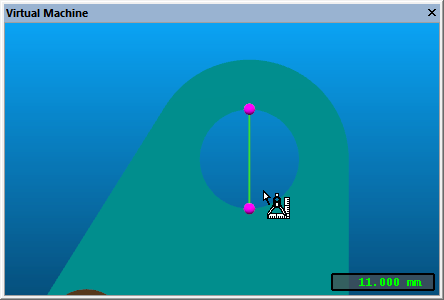
Simulation»Measure»Distances and angles: Selection measures the distance and angle between subsequently selected entities, as well as the xyz offset between entities. |
|
Simulation»Measure»Radius and center: Selection measures the radius and xyz center of a circle constructed through 3 subsequently selected points and/or edge midpoints. |
|
Simulation»Measure»Vertex: Enables or disables the picking of points on the boundary of the triangles that make up the in-process stock object. |
|
Simulation»Measure»Edge: Enables or disables the picking of edges of the triangles that make up the in-process stock object. |
|
Simulation»Measure»Face: Enables or disables the picking of faces of the triangles that make up the in-process stock object. |
|
Simulation»Measure»Fan: Switches between chained (one to the next) and fanned (one to many) measurements. |
|
Simulation»Measure»Overlay: When enabled, the objects selected for measurement will always be visible, no matter how the camera is oriented. |

If none of the Vertex, Edge or Face selections is active, then all objects can be selected.
The xyz information in the above measurements is with respect to the frame selected in the VM Grid toolbar. Measurement information appears in the form of a small HUD (heads-up display) in the Simulation window.
When measuring in-process stock, the Simulation»Cross Section function can be used to section the stock for better visibility or to obtain measurements in the cross section plane.