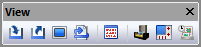
View Toolbar

image1

The View toolbar is one of the standard toolbars available with the CERUN and GENER UI. This toolbar has buttons that control the visibility of windows used to trace the inputs and outputs of the process. Two of these buttons are unique to VM, as follows:

image8

Simulation»Virtual Machine: Activates/deactivates the main simulation window.

image9

Simulation»Controller: Activates/deactivates the virtual controller window, which is used to jog axes, set tool and fixture compensation, as well as to replay the simulation at any point in time.

image10

Simulation»Manager: Views or hides the Simulation Manager window, which is used to view or modify tooling, parts, fixtures and setups.

"Virtual Machine Toolbars"