The Grid Dialog
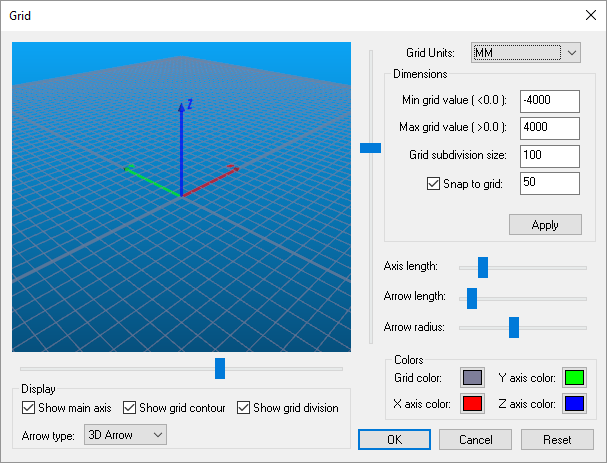 The Grid dialog defines the boundaries and appearance of the
world. The Reset button resets the grid appearance and size to
reasonable values.
The Grid dialog defines the boundaries and appearance of the
world. The Reset button resets the grid appearance and size to
reasonable values.
Grid Units can be set to any convenient value and need not match the
units used when the model was created. For optimal display and control,
the grid dimensions (Min/
Select Grid color to set the color of the grid lines (the background
color is set using the Simulation»
The main axis (model origin), grid contour boundary and grid subdivision lines can all be toggled visible or invisible using the Display Show check boxes.
The coordinate frame marker size, color and style can also be controlled from the Grid dialog. The three horizontal sliders in the Dimensions area control the size of the arrow. Colors for each axis of the marker can be set in the Colors area. The arrow style can be set using the Arrow type selection.