Controller » Opskip tab
The Opskip (optional-skip, also known as “block-delete”) tab can be used
to change the optional-skip settings during processing in the same way
that the machine’s operator can affect the execution of the program
using the optional-skip feature of the CNC. The original Opskip settings
are defined in the CERUN Launch Panel. The settings can be viewed and
modified from the Controller window Opskip tab. Changes to the Opskip
settings will be remembered if you restart the program (i.e.,
Run»
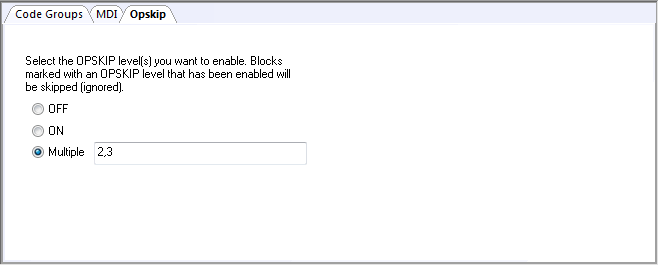
Off: MCD blocks with optional-skip codes will be processed.
On: MCD blocks with optional-skip codes will not be processed. For controllers with multiple levels of optional-skip codes, ON activates the “default” optional skip as defined in QUEST “Optional Post-processor Words / The OPSKIP Command” question #7.
Multiple: Specify the opskip level or levels to enable, as a comma or blank separated numbers. MCD blocks with corresponding optional-skip codes will not be processed.
When a block of MCD has an optional-skip character, a “DelOn” or “DelOff” trace will appear in the Output window if tracing Edited blocks. When optional-skip is active, the block is shown with the skipped portion of the MCD removed. When not active, the block is shown with the optional-skip character(s) removed.