Select Configuration
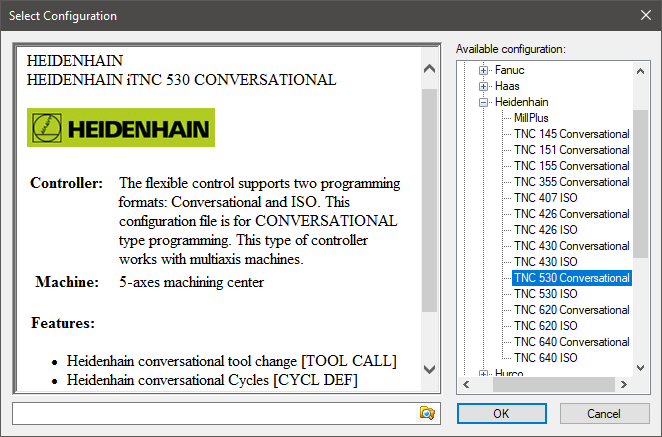
This dialog appears when selecting a predefined machine or control configuration.
Available configuration: Lists all known machine configurations matching the current machine type, or all known control configurations, depending on the original question. When a configuration is selected, information about it appears in the window to the left.
Icam Post includes a predefined set of machine and control configurations. Custom configuration files can be included by selecting the folder search button at the bottom of the dialog and then browsing to a folder where additional configuration files are located. For example, CGTech VERICUT has the ability to create machine configuration files that can be used as a basic machine, either for post-processor development or for consistency checking. The current custom folder, if any, is listed at the bottom of the dialog to the left of the button. The custom folder path is saved in the registry.
OK: Uses the current selected configuration. Double clicking a configuration name is the same as selecting it and then pressing OK.
Cancel: Does not make any changes in configuration.