Diffs
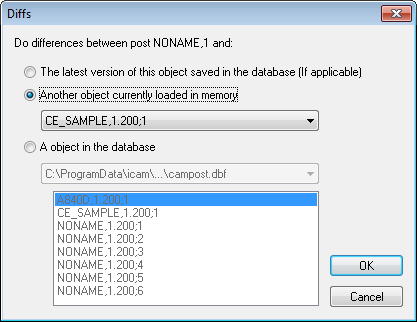
This dialog appears when comparing one post processor with another. The results of the comparison will appear in the Diffs window at the lower right.
The latest version of this post saved in the database: This selection is available when selecting the Diff function using a post processor that has been loaded from the database. When selected, only those changes made since the post was last saved will be shown.
Another post currently loaded in memory: This selection is available when there are one or more posts loaded in memory, not counting the current one (NEWP01 in this example). Select the post to compare to from the drop-down list.
A post in the database: Select to compare the current post to any other post processor in any open database. The database is selected from the drop-down list. Click on the post processor from the list.