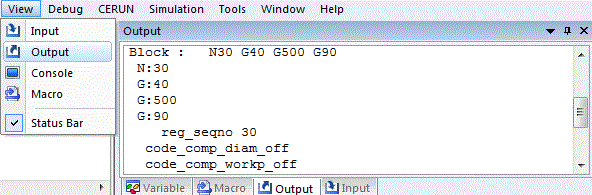
View»Output
This command toggles the opening or closing of the control emulator processing trace window. When active, control emulator processing data will be listed in the Output window as it is written. The Tools»Preferences»Trace menu function can be used to control the types of information traced to the Output window. The various types of output tracing are the same as those listed in the launch panel Output options.
After the window is opened, it will record in a buffer all the lines up to the number defined in the Output field of Number of Lines to Record in Tools»Preferences»Trace, so you can use the vertical scroll bar in the window to review the process. At any moment, you can resize the window, minimize it, or close it. If the window is closed, all the records previously recorded will be erased.
Note that closing this window will significantly speed up CERUN execution.