View
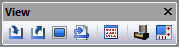
This tool bar contains buttons for different view options. They are equivalent to the corresponding commands in the View menu. Pressing any button will open or close the window. These buttons are:
Input window
Output window
Console window
Macro window
Diagnostic window
The three rightmost buttons toggle visibility of Virtual Machine windows:
Simulation window: The main button toggle all visible Virtual Machine windows or reinstate the last set of Virtual Machine windows if none are visible. The drop down button can be used to toggle the visibility of one of the 4 Virtual Machine windows.
Controller window
Simulation manager window