Virtual Machine Overview
The Icam Virtual Machine (VM) simulator graphically depicts the operation and motions of a CNC machine during post processing. VM provides feedback to Icam Post (the post processor), which can use this information to provide collision detection and avoidance.
Machine simulation includes the following:
A computerized model of the machine
A CNC control simulator
Tool, Part, Stock and Fixture definitions
The machine model is developed and maintained using Icam Post QUEST. The resultant data is stored in a Icam Post database (.dbf) file with the post processor data, or externally in a binary "dmp" file format. The model describes the kinematics and the physical characteristics of the machine. The model is in an Icam proprietary format. Models from other popular machine simulation systems cannot be imported at the present time.
VM serves two primary purposes:
Collision detection and avoidance during post processing
Visual confirmation of kinematics during post processor development
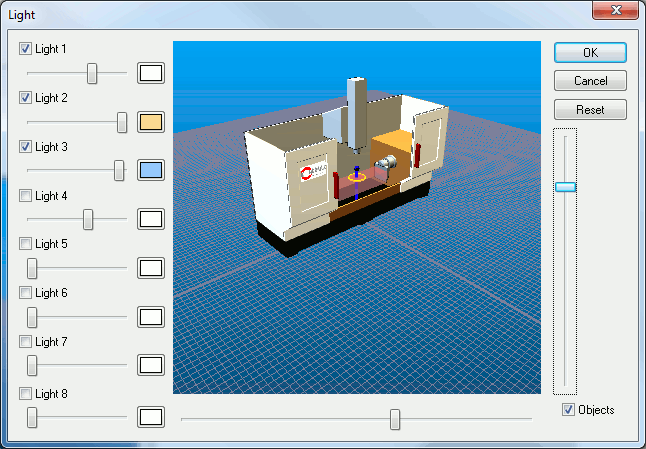
Icam Post QUEST provides additional features used to define the kinematics and physical representation of a CNC machine. This data is referred to as the "model" which can be stored in the database with its associated post processor. A model can be, but need not be, associated with a single post processor1. In addition to the machine, the model designer can define standard viewpoints, lighting (shown below), fixtures and tooling.
Icam Post GENER uses VM to detect and, where possible, avoid collisions. Collision detection can account for the effects of work piece and tool compensation, given experimental or actual values for compensation offsets. Collision detection is a natural part of the look-ahead optimizations that GENER performs during path planning, meaning that GENER can automatically choose an appropriate tool path to avoid collisions. The machine simulation can be displayed in one of the GENER output windows, synchronized with other GENER output. Collision detection and avoidance can be active even when the simulation is not being show, for example, when running GENER in a minimized state.
VM is currently available for Windows NT and compatible systems only.