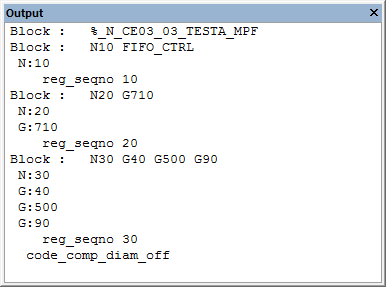
Output Trace
This window traces control emulator processing data, which will be
listed in the Output window as it is written. The
Tools»Preferences»Trace menu function can be used to control the types
of information traced to the Output window. The various types of output
tracing are the same as those listed in the launch panel Output options.
After the window is opened, it will record in a buffer all the lines up
to the number defined in the Output field of Number of Lines to
Record in
Tools»Preferences»Trace, so
you can use the vertical scroll bar in the window to review the process.
At any moment, you can resize the window, minimize it, or close it. If
the window is closed, all the records previously recorded will be
erased.
Note that closing this window will significantly speed up CERUN
execution.