Controller » Code Groups tab
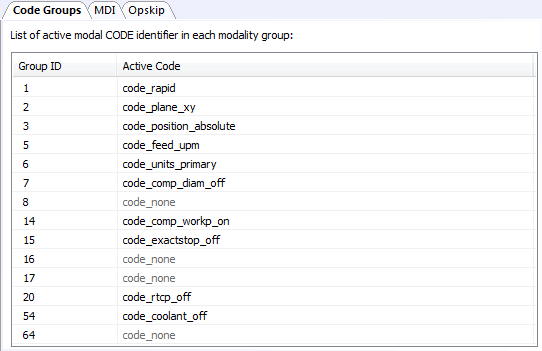
The Code Groups tab can be used to view and optionally modify the currently active code for each of the code groups defined by the control emulator. Code groups are listed by their code group number, as defined in the QUEST Code Customization section. The currently active code for each group is listed beside its group number if known, otherwise code_none is shown.
You can double-click on a code group line to see the list of available codes for that group and to change the currently active code if desired (e.g., for debugging purposes).
Codes are highlighted when they are changed.