Virtual Machine Fixture Compensation
Setting Fixture Compensation
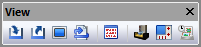
Motion data is processed in relation to the machine origin. On most
modern machines, the machine origin (i.e., the position at which all
axes read zero) can be adjusted by the NC operator. Many CNCs provide
for the definition of multiple origins with fixture (or workpiece)
compensation. VM provides a virtual controller that supports both
fixture and tool compensation. The VM controller can be activated from
the View toolbar by selecting the button shown circled in the toolbar
above. Select the button a second time to either hide the controller
window or to restore a controller window that has been minimized. This
window can also be controlled by selecting Simulation»
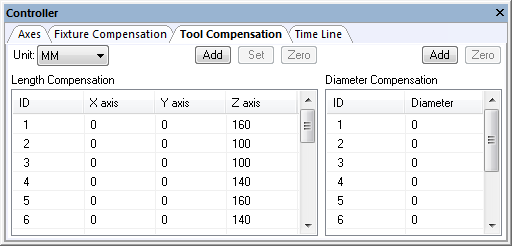
Once the VM Controller window is active, select the Fixture Compensation tab to define or modify workpiece offsets. VM supports the definition of a global “base” offset, as well as individual workpiece offsets to match those in use at the machine.
Fixture compensation data is automatically saved in the verification setup (.vsw) file when the program is completed. This setup file will be reused on subsequent runs to quickly reestablish the workpiece compensation settings necessary for an accurate simulation.
Base compensation adjusts the machine zero point. All coordinate data is transformed by the base amount, regardless of the current workpiece compensation settings. Base compensation should not normally be used except in cases where the machine has a settable zero and no other form of workpiece compensation. In this case, the base compensation can be used to adjust the machine zero point to match the zero point that will be set by the NC machine operator.
Fixture compensation offsets are defined relative to the base zero
point. Press the Add button and enter the fixture compensation ID to be
added, using the same form of ID numbers you would use in the
CUTCOM/
By accurately setting fixture compensation values, you can obtain a more realistic and complete simulation of the machine.
Icam provides “Manufacturing Extractors” for many popular CAM systems, which can automatically define fixture (i.e., workpiece) compensation settings matching coordinate frames used in the NC program.