Simulation»
Simulation»
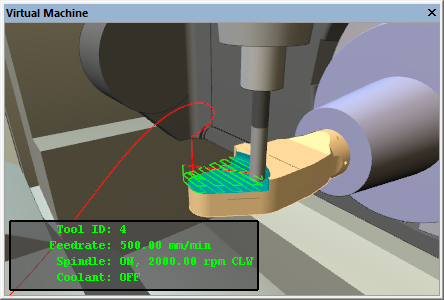
The Display menu selection shows or hides the “heads-up” status display
that floats in front of the simulation window. The HUD lists the status
of various components of the machine (e.g., current tool, axes
positions, feed rate). The content of the heads-up displays (there can
be many) are defined by selecting Simulation»
Display menu choices are stored in the Windows Registry – not with the model or the .vsw setup file.
During processing with GENER or CERUN, you can cycle between the various display content types using the Next Display and Previous Display menu selections (Ctrl+D and Ctrl+Shift+D shortcuts). Note that these shortcuts are not available with QUEST (in fact, the Ctrl D shortcut activates the Database navigator).
The heads-up display can also be cycled from the VM Mode toolbar available with GENER and CERUN.