File Storage (Windows only)
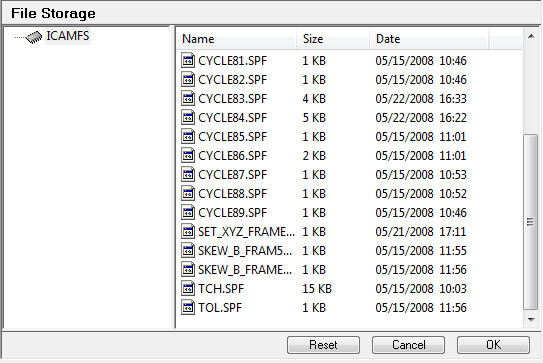
The file storage can be used as a repository where files will be kept internally in the database. The files should, as much as possible, be kept small as each revision of the object will carry a copy of the file storage content. Also the file storage is read-only at runtime. This means that the files can be accessed but not written to.
The section support functionalities similar to windows explorer:
Files and folders can be dragged between the two views.
Use the CTRL key when dragging to copy files.
Use the delete key to delete files and folders.
Use the F2 key to rename a file or folder.
Drag files between the file storage and windows explorer.
Use the popup context menu to do clipboard operation, create folder and see file properties.
The file storage is available for PP and CE objects. However they do not use it exactly the same way:
Both GENER and CERUN can access the files via the following commands and functions:
OPEN command
READ command
CLOSE command
$FEOF function
$FBASNAM function
$FDIRNAM function
$FSTAT function
$FACCESS function
$FTMPFILE function
A CE object can also store subprograms inside the file storage to mimic the CNC controller internal drive space. Subprograms stored inside the file storage should only be controller resident subprograms as they can not be program specific.
The file storage path is defined as "/
Reset: Discard changes and reset back to the state of the section when it was opened.
Cancel: Exit the file storage section and discard changes.
OK: Exit the file storage section and save changes.