Main interface
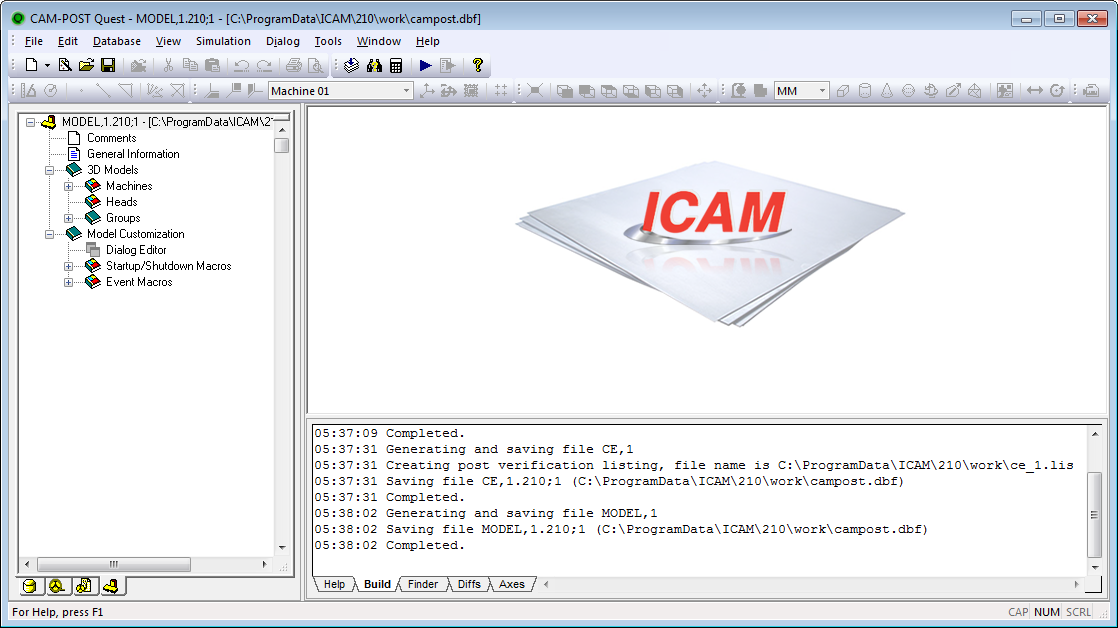
The main interface is divided into 3 main parts:
The Navigator occupies the left hand side of the display. It is used to quickly navigate through databases and post processors. The button tabs at the bottom of the navigator switch between the database and individual post processors that have been loaded into memory.
The Workspace occupies the upper right hand section of the display. This window is used for virtually all input and modification of post processors.
The Console View occupies the lower right hand section of the display. This view contains various tabs that display help information, the current state of processing, found text and differences between post processors.