Add/
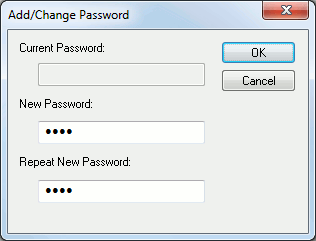
Set password protection on the selected database.
Current Password: Database password protection is not active by default. This field will be disabled if this is the first time you are setting a password for the selected database. If you have already set a password for the selected database, then you must enter the current password in order to change or remove the database password.
New Password: Type your new password here or leave this field empty if you want to remove password protection on the selected database.
Repeat New Password: This is to ensure that you properly typed in your password. This field must exactly match the “New Password” field in order for the new password to be accepted.
OK: Accept new password setting.
Cancel: Cancel password setting.