G/
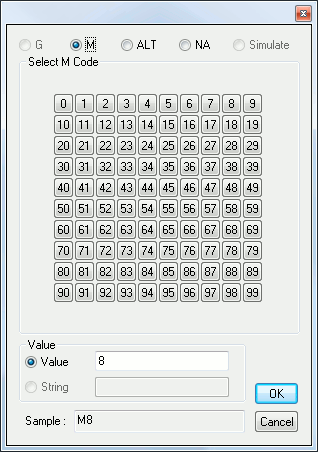
This panel simplifies answering of a [G/
Answer Type:
G or M |
Use the panel to enter the code value if between 0 and 99, else enter the code value in the bottom “Value” editbox if it is larger than 99. |
ALT |
Choose a register from the list and enter a value if needed at the bottom of the dialog. You can either enter a numeric value by selecting the “Value” radio button or a string value by selecting the “String” one. |
NA |
Clicking on this one will automatically exit the panel and answer “NA” to the question. |
Simulate |
Clicking on this one will automatically exit the panel and answer “Simulate” to the question. |