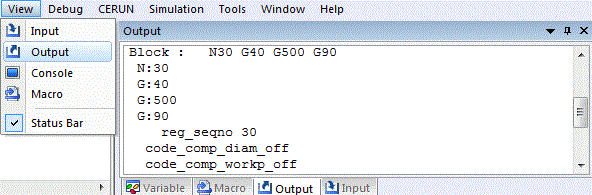
View»
This command toggles the opening or closing of the control emulator
processing trace window. When active, control emulator processing data
will be listed in the Output window as it is written. The
Tools»
After the window is opened, it will record in a buffer all the lines up
to the number defined in the Output field of Number of Lines to
Record in
Tools»
Note that closing this window will significantly speed up CERUN execution.