Wrapping Up
When you close a model ( or ), it is removed from the Navigator window. You will be prompted to save your work if you attempt to close an unsaved model, or if you attempt to exit QUEST () before saving all opened models.
If one of the models being edited is stuck on a stopper question, you will receive the message “You must provide a response to this question” when you attempt to close the model or exit QUEST. The stopper condition must be corrected, or the section containing the stopper question must be canceled (using the Cancel button), before you can proceed.
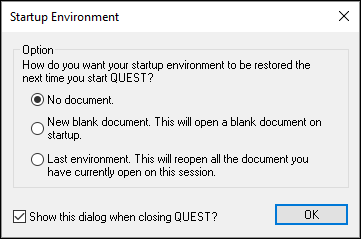
When exiting, you will be prompted (as shown at right) for the startup
configuration to use the next time you run QUEST. You can choose to restart
with a new post-processor
(note: not model)
ready for creation, or to resume with the
models
currently open for editing, or to start with an empty session. If this prompt
is disabled, you can re-enable it and/