Integration Utility
Kit
Return to previous
 3DExperience Best Practices
- Author: Icam Technologies Corporation
- Release: 18.0-0842
-
Description: This Best Practices document has been created for 3DExperience end-users to help
organize post-processor usage through 3DExperience settings and PPTables.
Icam Recommended Best Practices for 3DExperience
Table of Content
-
Review of 3DExperience Settings
- CATProcess Tree Navigation
- Options Panel
- Machine Editor Panel
- Generate NC Output
-
Best Post-Processing Practices
- Common Practices
- Cycles
-
PPTable Customization
- Accessing the PPTables
- PPWords and Default Syntax
- Verifying Syntaxes in 3DExperience
- Standard Samples
1. Review of 3DExperience Settings
A. Options Panel
Under your name, go to Preferences. Under the App Preferences tab, expand Simulation group, then select Machining.
In the Output section, select the Post Processor Folder to be ICAM.
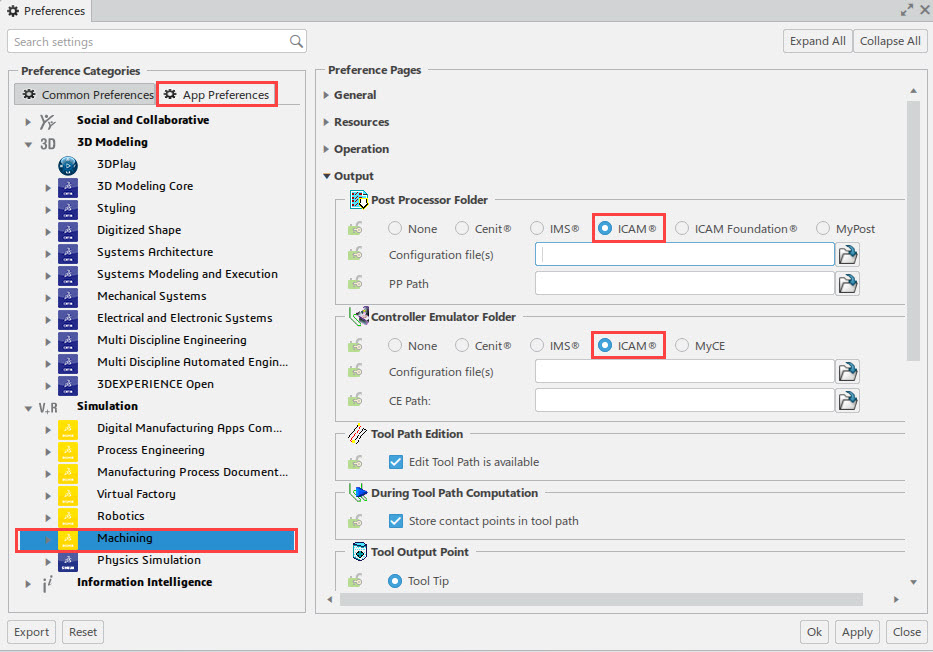
Note: Pressing OK will save those 3DExperience settings as default
B. Machine Editor Panel
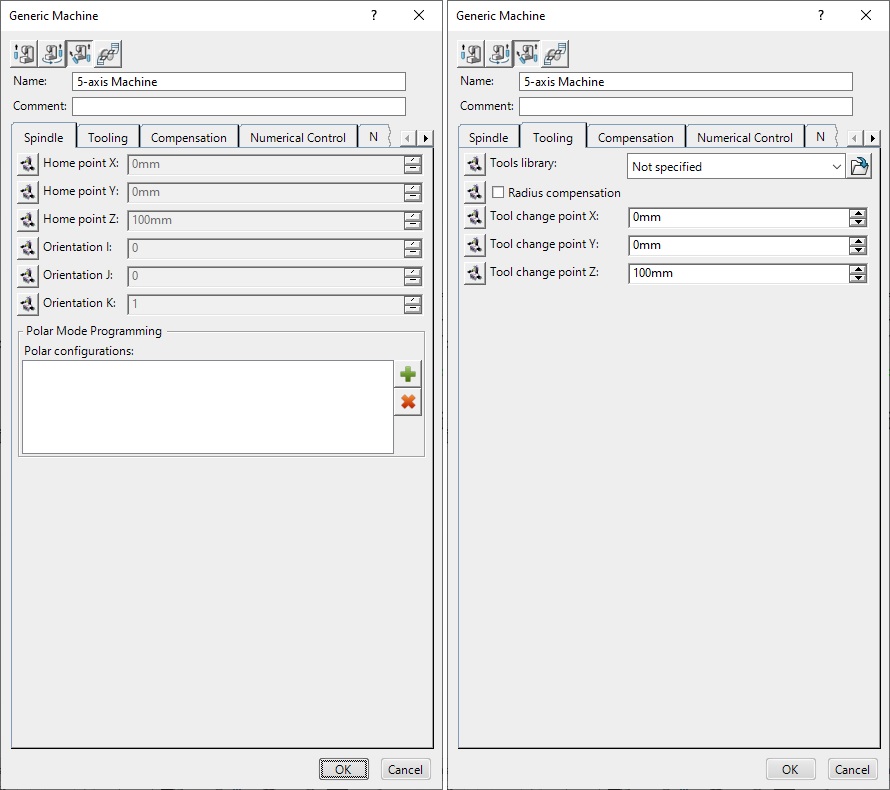
Spindle
Leave initial settings
Note: Handled by the post
The user can specify an home point position (xyz) and a spindle orientation (ijk).
It is NOT recommended to change those settings, since the post-processor can handle those situations.
Tooling
Leave initial settings
Note: Handled by the post or the controller
Compensation
Leave initial settings
Note: Handled by the post
The user can specify an home point position (xyz) and a spindle orientation (ijk).
It is NOT recommended to change those settings, since the post-processor can handle those situations.
Numerical Control
-
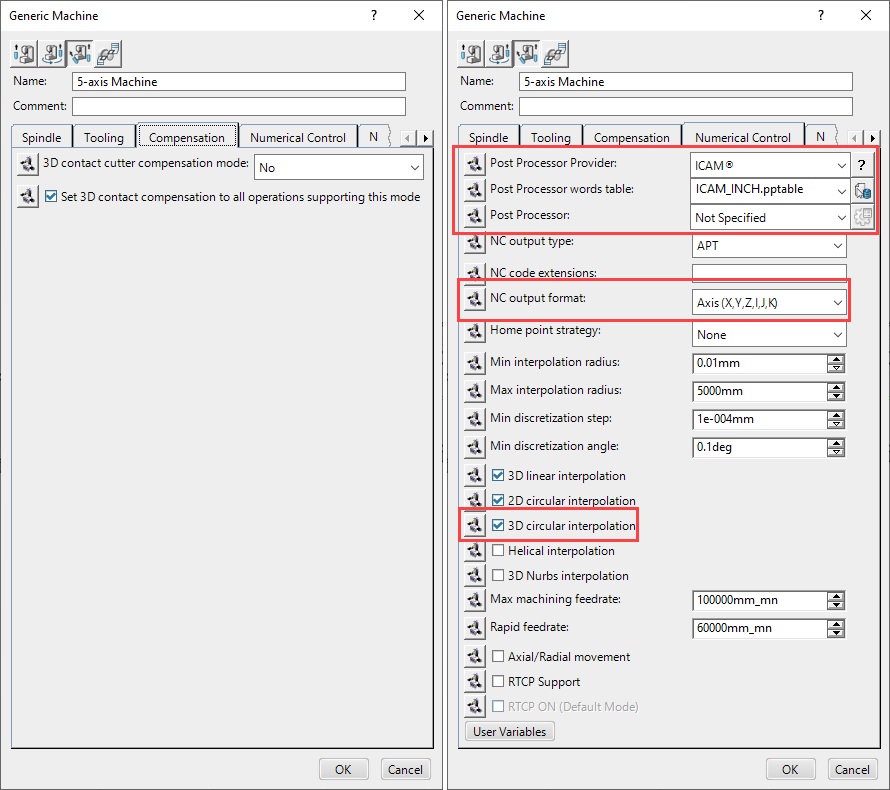
In post processing, select specific post-processor
In 3DExperience, the selected post-processor is linked with the machine; no machine, no post.
-
Select an Icam PPTable in post-processor words table.
See section 3 for further information
-
In NC data format, select the GOTO format.
A "point (xyz)" format can not handle any type of rotation and should only be used for a 3 axis machine.
The "axis (xyz,ijk)" format will trigger MULTAX/ON automatically in CAMPOST.
-
Check 3D circlar interpol
This option must be checked for multi-axis machines only. The post processor will be able to support 3D circular plane interpolation
also instead of relying on arc-fitting.
- The other options should be left to initial settings.
NC Output
-
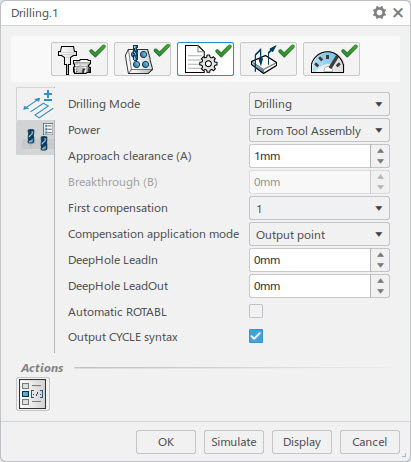
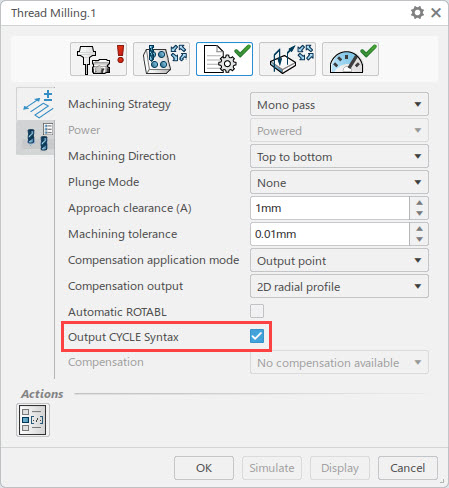
Check Output CYCLE syntax
This option will output PPTable cycle syntax instead of a GOTO points emulation.
-
Check Process COPY and TRACUT operation
This option will ensure 3DExperience generates COPY and TRACUT operations with all the corresponding tool motions.
- Set all statements to $$
- Leave formatting to initial settings or you can specify more or less digfits for coordinate and axis components of more
precision is required.
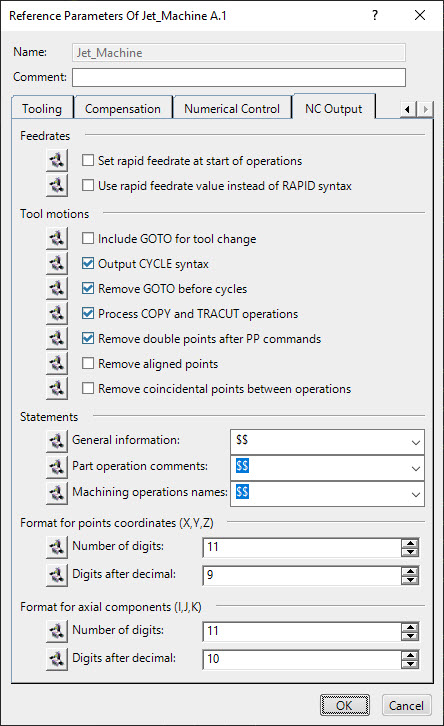
Note: Pressing OK will save those 3DExperience settings as default
2. Post Processing Best Practices
A. Common Pactices
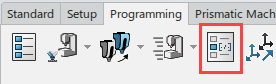
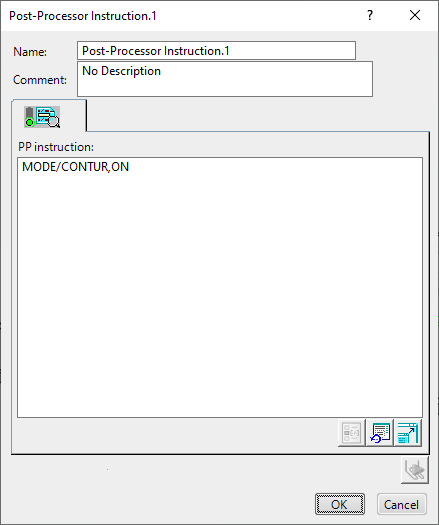
a. Custom Post Processor Commands
Description:
This dialog will output, in the aptsource, custom post processor commands. The post processor commands will then trigger a special G-code sequence.
Sample:
b.Fixture Offsets
Description:
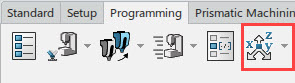
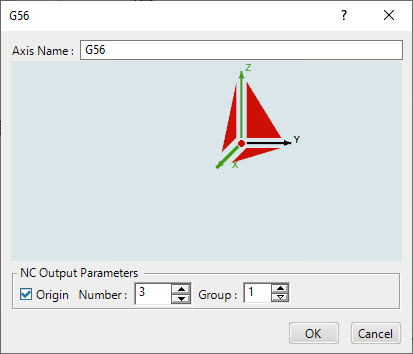
This dialog can be used to output fixture offsets. The following setting will ouput a G54, G55, G56, etc.
Check the Origin checkbox and select an offset in the Number edit box. Number 1 sets 54, 2 sets 55 etc.
Afterwards, select the red origin point in the dialog to choose a part offset point.
Sample:
c.Approach and Retract Macros
Description:
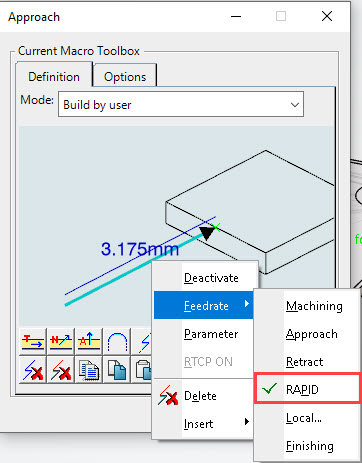
As a good manufacturing practice, every machining operation should contain an approach and a retract macro.
Also, for best results, the first move in the approach macro and the last move in the retract macro should have a feedrate set to RAPID.
This RAPID will enable safer positioning during multi-axis or 3-axis motions.
Sample:
d.Coolant Syntax Associated with Tools
Description:
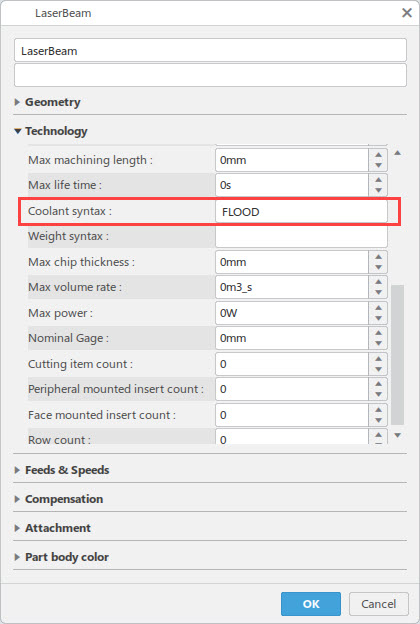
To output a coolant syntax, select the specific tool in the ResourcesList and add, in the Technology tab, the coolant MINOR word
(usually: ON, OFF, FLOOD, THRU, MIST, TAPKUL, etc.).
The PPTable will concatenate COOLNT/ with the MINOR word.
Sample:
B. Cycles

Drilling Cycles
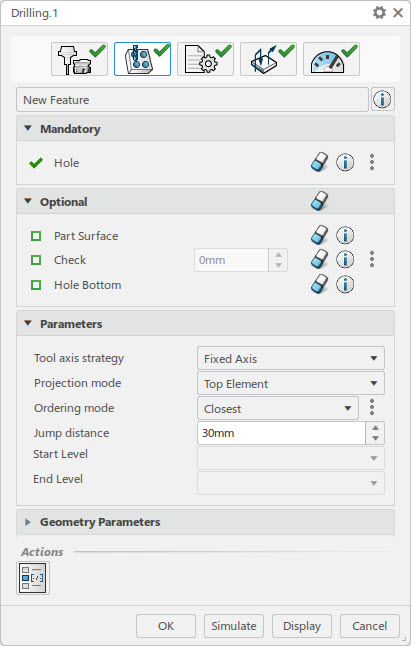
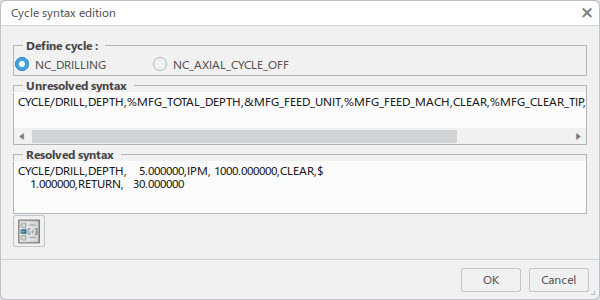
3. PPTable Customization
a.Accessing the PPTables
-
The default location can be found in:
C:\Program Files\Dassault Systemes\BXX\win_b64\startup\Manufacturing\PPTables
Where, XX represents the version of 3DExperience.
-
The default Icam PPTable is called:
ICAM_xxx.PPTable
Where, xxx represents the version of Icam in hundreds (ie: V23 would be 230).
- If modification is required, please rename the PPTable to an unique name.
b.PPWords and Default Syntax
c.Verifying Syntaxes in 3DExperience
Cycle Operation
-
Check Output CYCLE syntax
This will output PPTable cycle syntax instead of a GOTO points emulation
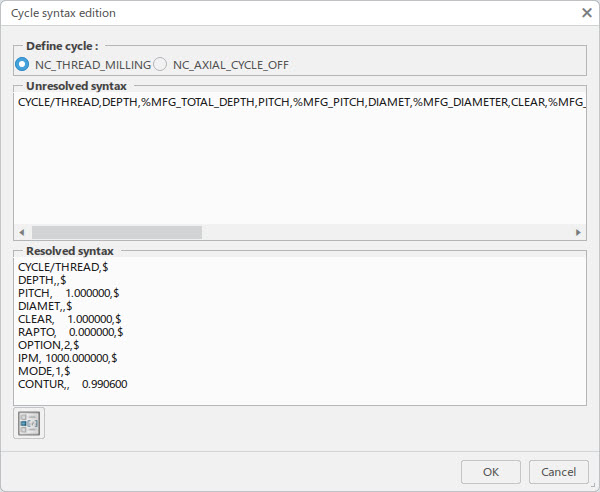
- To verify PPTable parameters, press Edit Cycle button
Cycle Syntax Edition
- The parameters in the resolved syntax window should reflect a particular cycle operation
 Back to top



