
Integration Utility Kit
 TopSolid'CAM
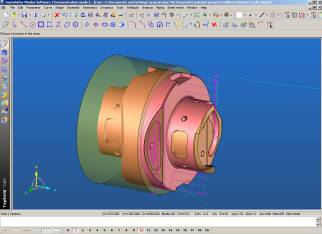
- CAM System: TopSolid'CAM V6.*
- Company: Missler Software
- Website:www.topsolid.com
TopSolid'CAM to Icam Post Interface Documentation
Overview
The TopSolid’CAM Interface Kit is designed to accommodate differences in syntax between Missler Software and Icam's post processing languages. Icam Post directly extracts the CL_File information out of the TopSolid’CAM “*.cam” file to convert it into the Icam proper APT syntax. See Icam Post chapter "Post processor Vocabulary" for more information on Icam Post supported syntax.
The TopSolid’CAM interface works for TopSolid’CAM V6.* versions. It allows you to use Icam post-processors for:
-
Turning centers:
- Lathe
- Merging Lathe
-
Milling:
- 3 axis
- Multi-axis positioning
- 5 axis contouring milling
-
Mill/Turn – multitasking machines:
- One or two spindles
- One or several turrets
- 5 axis contouring capabilities
You can directly run an Icam post-processor on a TopSolid.cam file by indicating the target TopSolid’Cam file as CL File to post-process. If your have a TopSolid”cam license on your machine, the file opening process will be faster.
Post-Processor Commands Conversion
The kit.mac file makes the following changes to the CL output:
- TAIL STOCK has been changed to TLSTCK/$P1(IN,OUT)
- STAEADY REST has been changed to STDYRS/$P1(IN,OUT)
- CHUCK CLAMPING has been changed to CLAMP/CHUCK,$P1(ON,OFF)
- PART LOADING has been changed to LOAD/PART,$P1