
Integration Utility Kit
 Mastercam
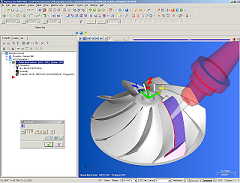
- CAM System: Mastercam
- Company: CNC Software Inc.
- Website:www.mastercam.com


Mastercam to Icam Post Interface Documentation
Overview
The Mastercam Interface Kit is designed to accommodate differences in syntax between Mastercam's and Icam's post processing languages. Icam Post can directly process the Mastercam ".NCI" file format. Internally, NCI records are converted directly to an APT standard format. The INPUT_FORMAT definition file variable must be set to MCAM to enable this conversion.
- let INPUT_FORMAT = "MCAM" (same as MCAM3)
- let INPUT_FORMAT = "MCAM1" for Mastercam 9
- let INPUT_FORMAT = "MCAM2" for Mastercam X with Icam Post V19 and earlier
- let INPUT_FORMAT = "MCAM3" for Mastercam X with Icam Post V20 (default)
Many NCI records do not have a standard APT equivalent. These records are converted to a record, which can be captured inside the post processor for whatever purpose you desire. The following lines show a typical NCI record and the resultant record in the CL file.
NCI record (two lines)
- 1012
- 1 2 3 4 5 6 7 8 9 10
PPFUN command representation for Mastercam 9
- PPFUN/'1012 1 2 3 4 5 6 7 8 9 10'
- #1001:1012,1,2,3,4,5,6,7,8,9,10
Mastercam also supports a "cantext" concept, which allows an integer flag to be added (or piggy-backed) on to motions. These flags can then be used in the post processor for special processing. The cantext value is converted into a PLABEL command. For example, a cantext value of "10" added to a linear rapid motion would appear as follows:
NCI record (two lines)
- 0
- 10000 1. 2. 3. -2
APT representation
- PLABEL/10
- RAPID
- GOTO/1.,2.,3.
Mastercam has slightly different record formats for Mill, Turn and Edm applications. Note that Icam Post does not support the Edm application format. The Mill and Turn formats however are supported. Icam Post determines the format in use by the operation code (opcode$) defined on the 1013 record, as follows:
- 1 through 99 -> Mill mode
- 100 through 199 -> Turn mode
Post Processor Commands Conversion
Within the Mastercam kit folder, there is an insert.apt file that contains special commands that control NCI to APT conversion details. This file should not be changed. There is also a kit.mac file that contains the following macros:
LOADTL/$P1* $$ Check for MILL tools on lathes
-
Only valid for MCAM1 and MCAM2 formats. This macro converts LOADTL commands to TURRET commands if the post is a simple lathe.
For mill/turn lathes, this macro inserts an APPLY/MILL command before the LOADTL, if necessary, to switch to milling mode.
For all other machine types the LOADTL is processed as-is.
With the MCAM3 format, a LOAD/TOOL is generated for both milling and turning tool changes, and an APPLY/MILL or APPLY/TURN is output if required.
-
Only valid for MCAM1 and MCAM2 formats. For mill/turn lathes, this macro inserts an APPLY/TURN command before the TURRET,
if necessary, to switch to turning mode. For all other machine types the TURRET is processed as-is.
With the MCAM3 format, a LOAD/TOOL is generated for both milling and turning tool changes, and an APPLY/MILL or APPLY/TURN is output if required.
-
This is a "do nothing" macro that removes unprocessed nci record information from the input APT data stream.
Without this macro, GENER would issue a diagnostic that the PPFUN syntax was unknown when using the MCAM1 format.
-
This is a "do nothing" macro that removes unprocessed cantext data from the input APT data stream.
Without this macro, GENER would issue a diagnostic that the PLABEL command is not supported.