Integration Utility
Kit
Return to previous
 CATIA V5 Best Practices
- Author: Icam Technologies Corporation
- Release: 18.0-0842
-
Description: This Best Practices document has been created for CATIA V5 end-users to help
organize post-processor usage through CATIA V5 settings and PPTables.
Icam Recommended Best Practices for CATIA V5
Table of Content
-
Review of CATIA V5 Settings
- CATProcess Tree Navigation
- Options Panel
- Machine Editor Panel
- Generate NC Output
-
Best Post-Processing Practices
- Common Practices
- Cycles
-
PPTable Customization
- Accessing the PPTables
- PPWords and Default Syntax
- Verifying Syntaxes in CATIA V5
- Standard Samples
1. Review of CATIA V5 Settings
A. CATProcess Tree Navigation
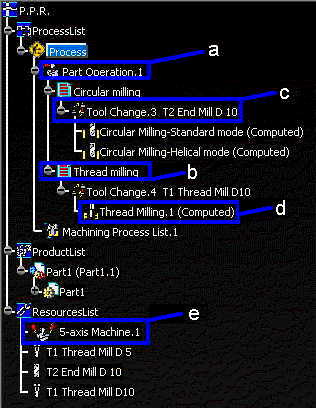
 Part operation setup: This dialog allows the user to create the entire setup for the CATProcess.
 Manufacturing programs
  Tool change event
- Machining operation sequences
 Machine editor
B. Options Panel
In the options menu, go to Machining. Under the Output tab, select ICAM as the post-processor
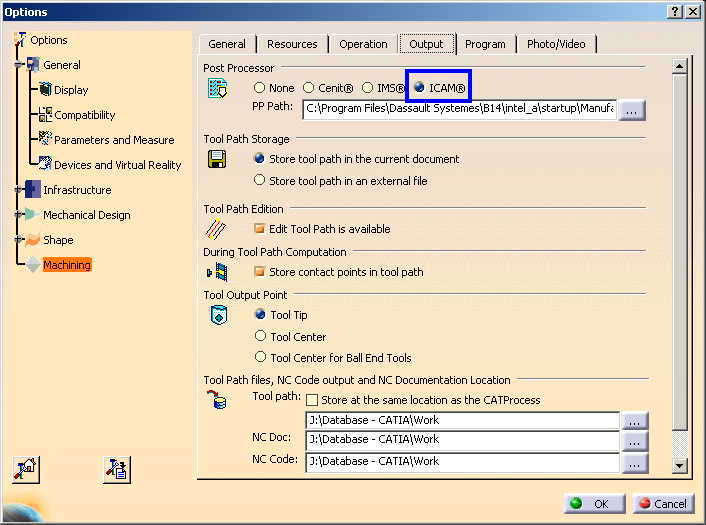
Note: Pressing OK will save those CATIA V5 settings as default
C. Machine Editor Panel
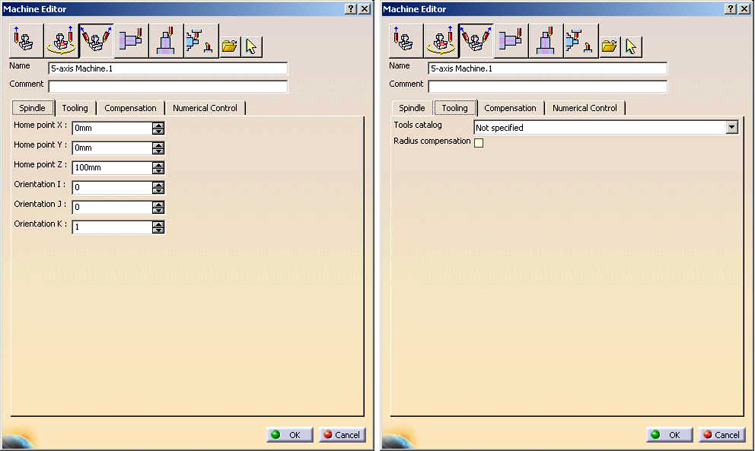
Spindle
Leave initial settings
Note: Handled by the post
The user can specify an home point position (xyz) and a spindle orientation (ijk).
It is NOT recommended to change those settings, since the post-processor can handle those situations.
Tooling
Leave initial settings
Note: Handled by the post or the controller
Compensation
Leave initial settings
Note: Handled by the post
The user can specify an home point position (xyz) and a spindle orientation (ijk).
It is NOT recommended to change those settings, since the post-processor can handle those situations.
Numerical Control
-
In post processing, select specific post-processor
In CATIA V5, the selected post-processor is linked with the machine; no machine, no post.
-
Select an Icam PPTable in post-processor words table.
See section 3 for further information
-
In NC data format, select the GOTO format.
A "point (xyz)" format can not handle any type of rotation and should only be used for a 3 axis machine.
The "axis (xyz,ijk)" format will trigger MULTAX/ON automatically in CAMPOST.
-
Check 3D circlar interpol
This option must be checked for multi-axis machines only. The post processor will be able to support 3D circular plane interpolation
also instead of relying on arc-fitting.
- The other options should be left to initial settings.
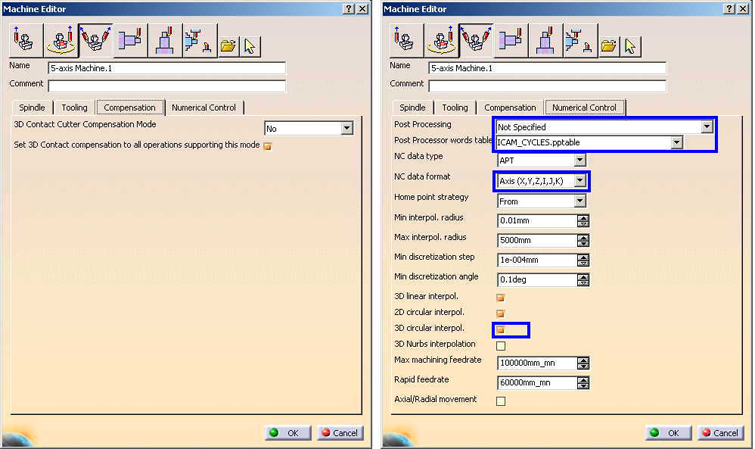
Note: Pressing OK will save those CATIA V5 settings as default
D. Generate NC Output Interactively
Tool Motions
-
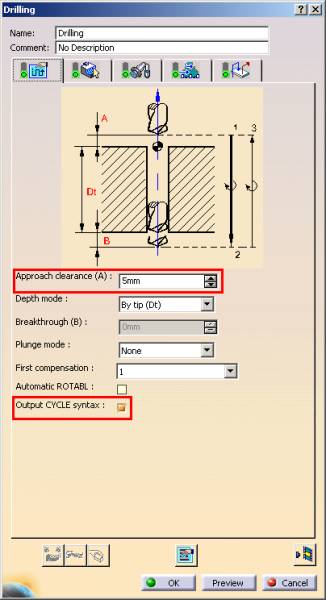
Check Output CYCLE syntax
This option will output PPTable cycle syntax instead of a GOTO points emulation.
-
Check Process COPY and TRACUT operation
This option will ensure CATIA V5 generates COPY and TRACUT operations with all the corresponding tool motions.
- Check Set rapid feedrate at start of operations.
Formatting
Leave initial settings
You can specify more or less digits for coordinates and axis components if more precision is required.
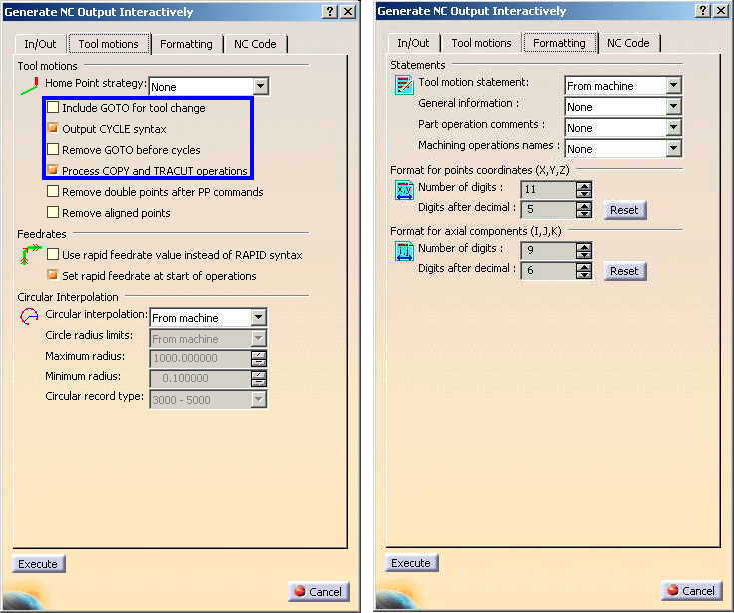
Note: Pressing Cancel or Execute will both save the settings.
2. Post Processing Best Practices
A. Common Pactices
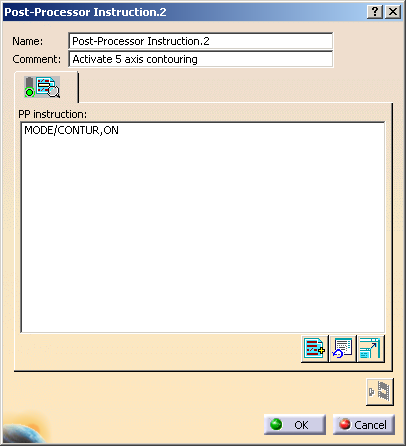
a. Custom Post Processor Commands
Description:
This dialog will output, in the aptsource, custom post processor commands. The post processor commands will then trigger a special G-code sequence.
Sample:
b.Fixture Offsets
Description:
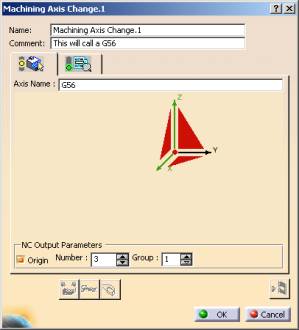
This dialog can be used to output fixture offsets. The following setting will ouput a G54, G55, G56, etc.
Check the Origin checkbox and select an offset in the Number edit box. Number 1 sets 54, 2 sets 55 etc.
Afterwards, select the red origin point in the dialog to choose a part offset point.
Sample:

c.Approach and Retract Macros
Description:
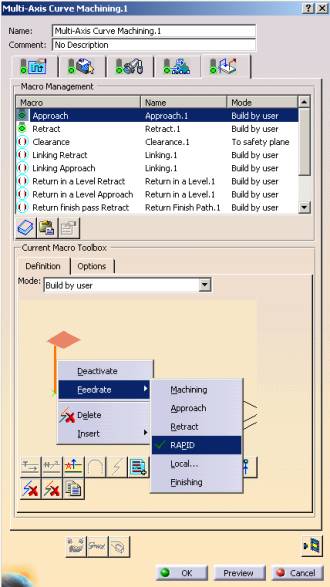
As a good manufacturing practice, every machining operation should contain an approach and a retract macro.
Also, for best results, the first move in the approach macro and the last move in the retract macro should have a feedrate set to RAPID.
This RAPID will enable safer positioning during multi-axis or 3-axis motions.
Sample:
d.Coolant Syntax Associated with Tools
Description:
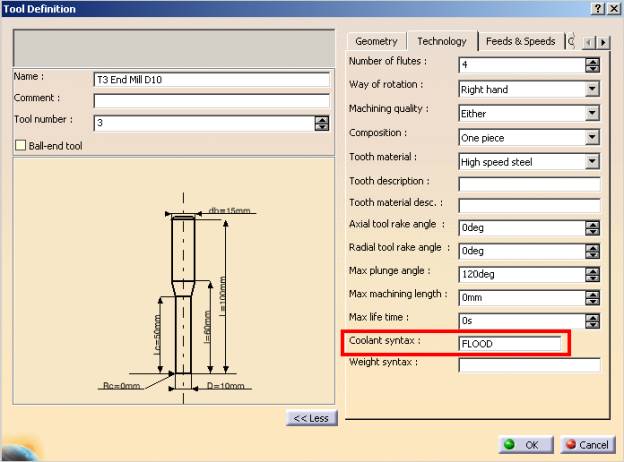
To output a coolant syntax, select the specific tool in the ResourcesList and add, in the �Technology� tab, the coolant MINOR word
(usually: ON, OFF, FLOOD, THRU, MIST, TAPKUL, etc.).
The PPTable will concatenate COOLNT/ with the MINOR word.
Sample:
B. Cycles

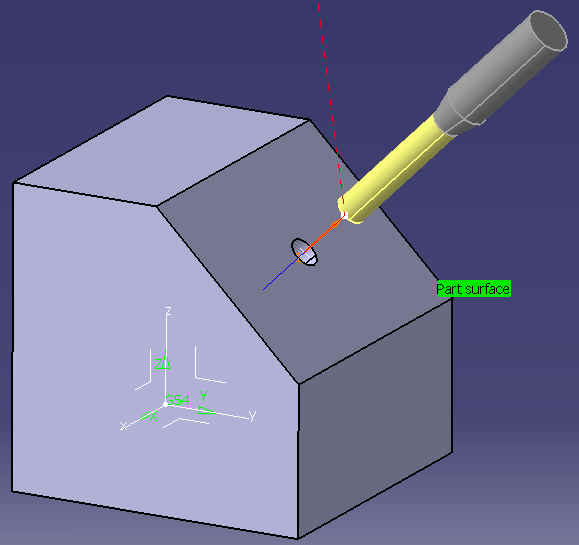
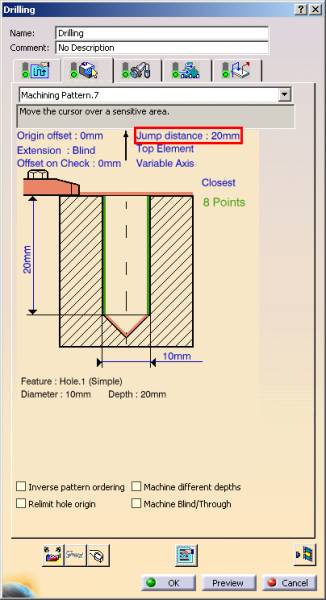
Drilling Cycles
3. PPTable Customization
a.Accessing the PPTables
-
The default location can be found in:
C:\Program Files\Dassault Systemes\BXX\intel_a\startup\Manufacturing\PPTables
Where, XX represents the version of CATIA V5.
-
The default Icam PPTable is called:
ICAM_xxx.PPTable
Where, xxx represents the version of Icam in hundreds (ie: V23 would be 230).
- If modification is required, please rename the PPTable to an unique name.
b.PPWords and Default Syntax
c.Verifying Syntaxes in CATIA V5
Cycle Operation
-
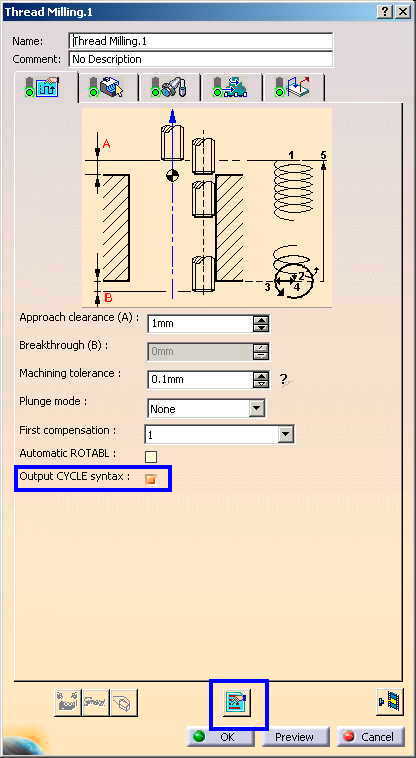
Check Output CYCLE syntax
This will output PPTable cycle syntax instead of a GOTO points emulation
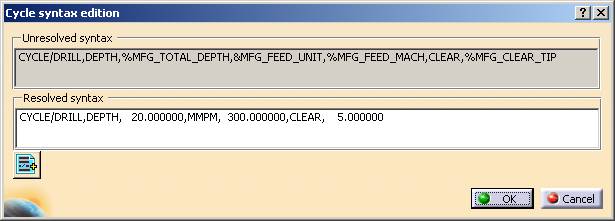
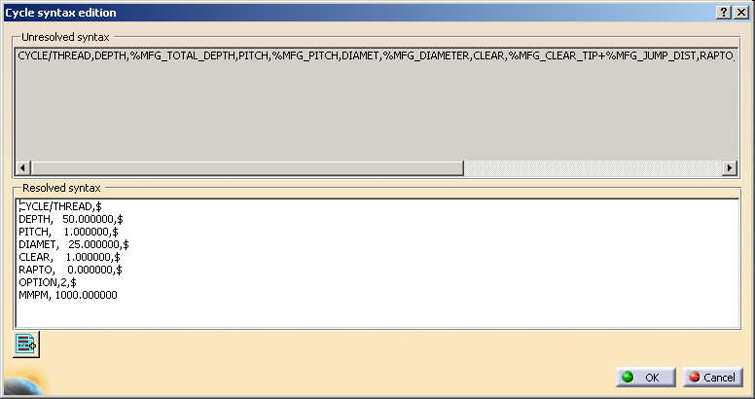
- To verify PPTable parameters, press Edit Cycle button
Cycle Syntax Edition
- The parameters in the resolved syntax window should reflect a particular cycle operation
4. Standard Samples
Back to top



